Every project has this moment. The render is right, the client is happy, and then: "Could we see it without the pink?"
Historically that meant reopening the model, changing the material, re-rendering and losing an afternoon. It does not any more — but the way you ask matters enormously.
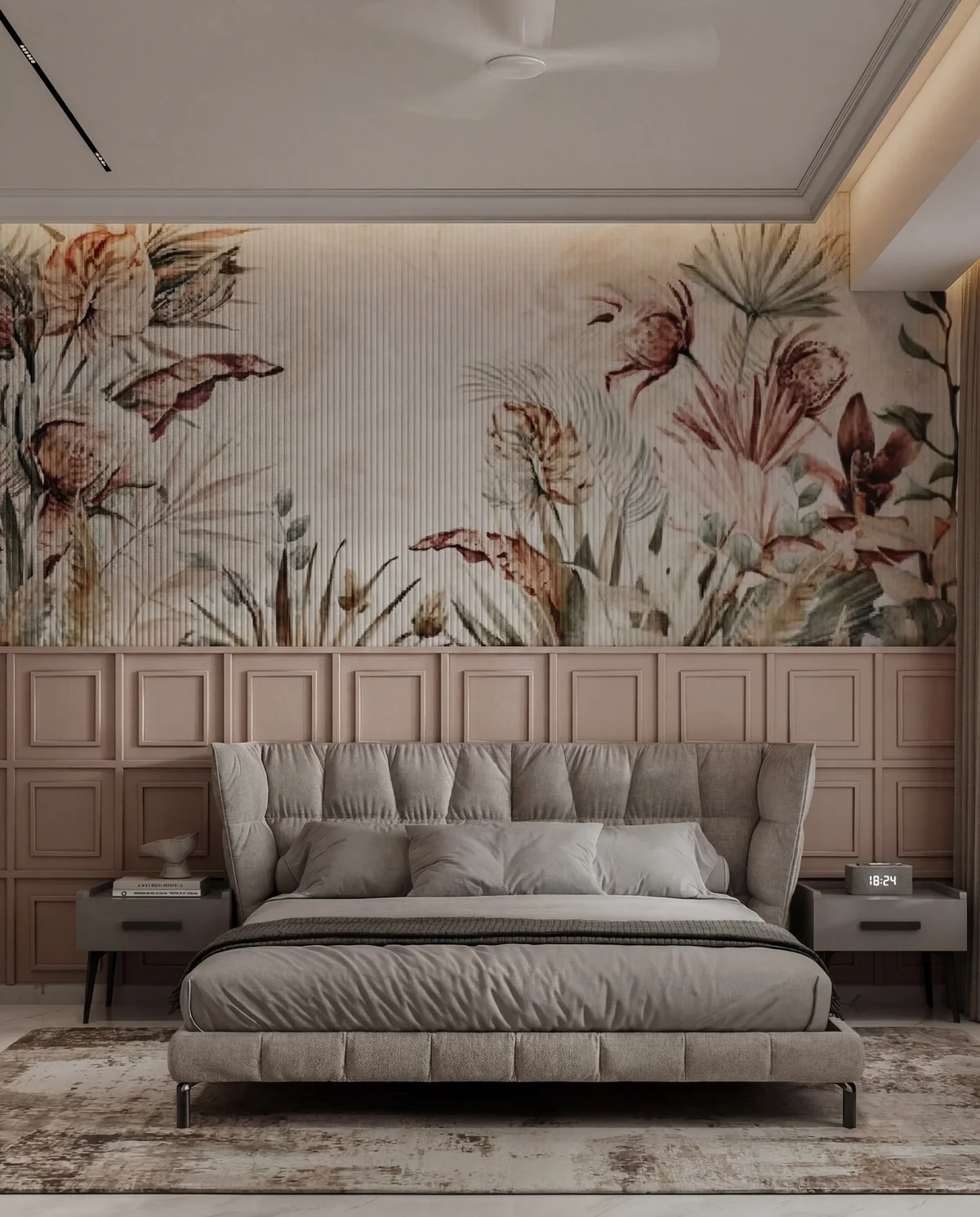
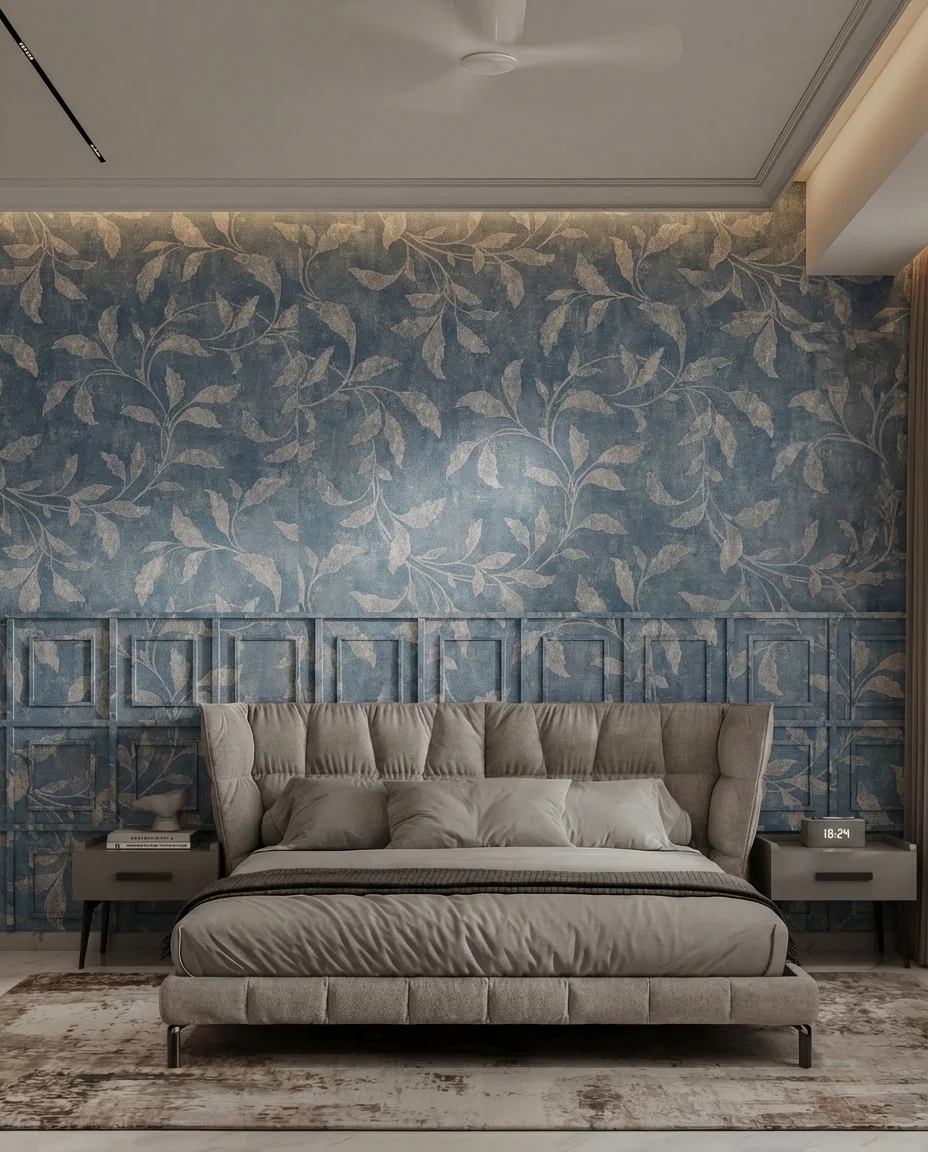
Be specific about the surface
"Change the wall" is an invitation. Say which wall and how much of it: "the full-height wall behind the bed, including the panelled section below the picture rail". If you only want part of a surface changed, say where the change stops.
Then describe the new material like a specification, not a mood: colour, finish, pattern scale, sheen. "Deep indigo wall covering with a large-scale gold leaf pattern, matte, slightly aged" gets you the same thing twice. "Something more elegant" gets you a coin toss.
Change one thing at a time
Two changes in one instruction usually produces one change and one surprise. Run them separately if you need both, and accept that the second pass is where quality starts to erode.
Why you should stop at two passes
Each edit regenerates the whole image, not just the region you asked about. The untouched parts get re-encoded every time, and re-encoding is lossy in a specific, recognisable way: contrast creeps up, fine texture flattens, edges sharpen unnaturally. One pass is invisible. Two is usually fine. Three looks like a phone filter, and clients notice without being able to say why.
So when a fourth change arrives, go back to the original render and make every change in one brief. It costs the same and it looks better.
Expect the light to move a little
If you swap a pale wall for a dark one, the room genuinely should get darker, and the bounce light on the ceiling should change colour. When it does, that is the tool doing its job. What should not change is the camera position, the furniture layout or the architecture — and if those move, you have a drift problem rather than a material change, so re-run from the original.
What it costs
An edit is priced like an image: 4 credits ($0.35). That makes a three-option material study about the price of a sandwich, which is the actual reason this workflow changes client conversations — you stop defending one render and start presenting choices.
Common questions
Will the rest of the image stay the same?
Mostly, if you ask for one change at a time. Reflections and bounce light shift a little, because they should.
How many edits can I chain?
Two in practice. Each pass re-encodes the whole image, so by the third it reads as a filter. Go back to the original and make all the changes at once.
Can I change the material on only one wall?
Yes, if you locate it precisely — 'the full-height wall behind the bed', not 'the wall'.
What does it cost?
4 credits ($0.35) per edit.
Change a finish without touching the model: material restyle.